Contact Manager For Executive Assistants

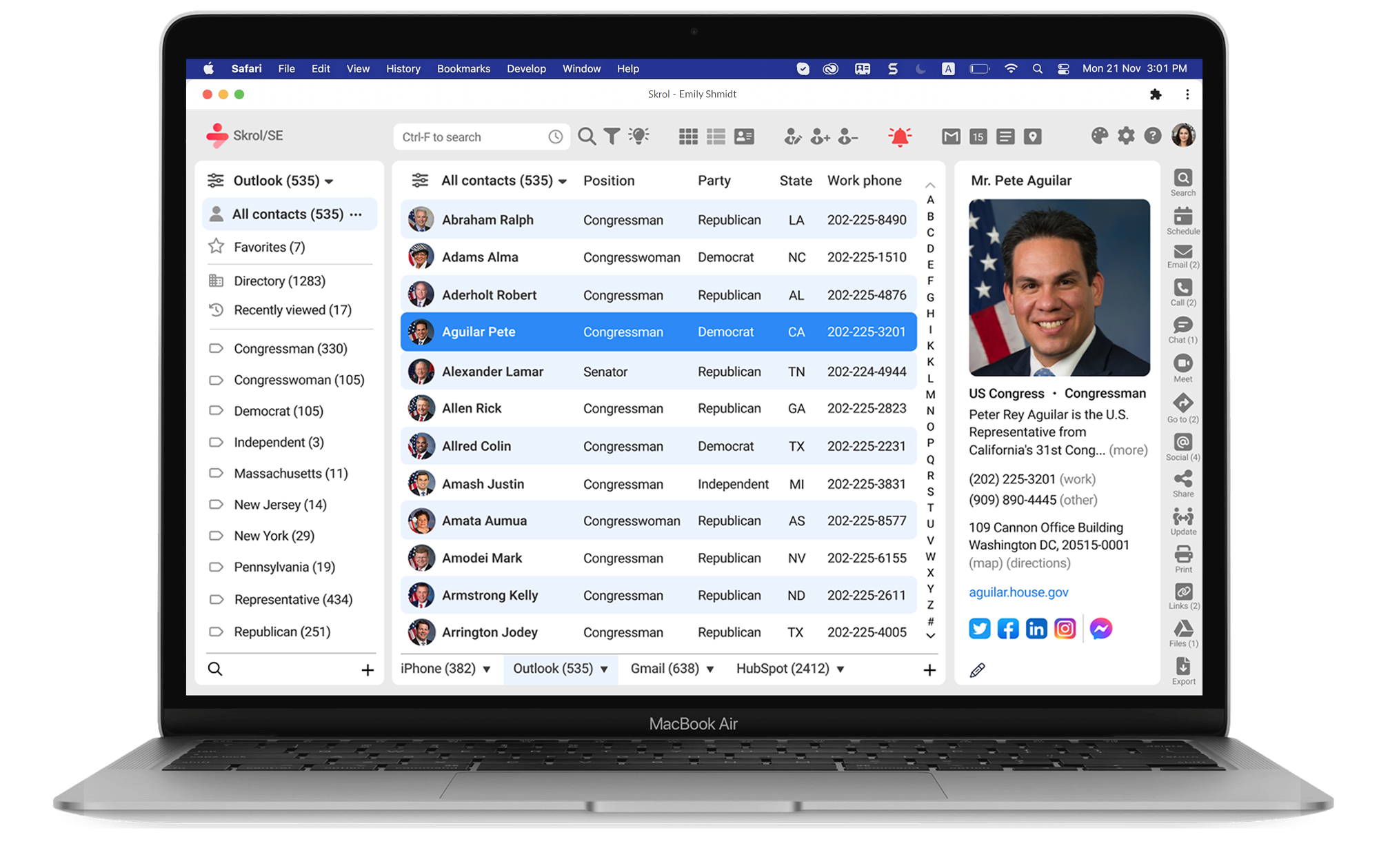
Skrol/SE is a web-based app optimized for use on laptop and desktop computers with a keyboard and mouse because that's the most efficient setup for executive assistants to manage large contact lists from multiple applications. The illustrations below show the contact list of the 117th United States Congress members running on a laptop with a 13" screen:
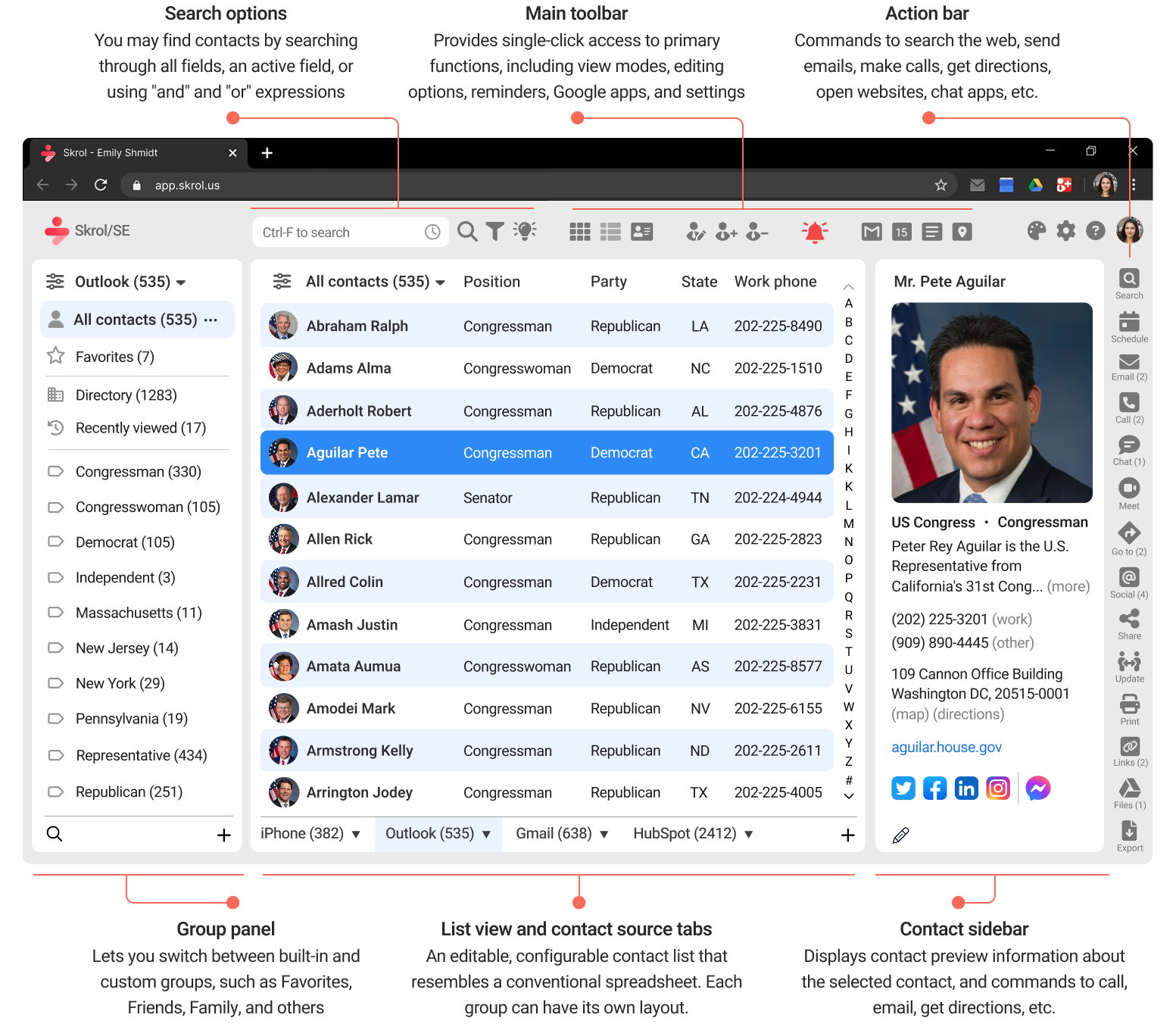
List view in the light mode

Skrol/SE displays contact lists from all connected sources, with search, editing, grouping, reminders, email, scheduling, and web lookup tools on the same screen.  On a larger monitor, the app expands dynamically to include more columns and rows of contact information.

List view in the dark mode

For maximum efficiency, you can edit information directly inside the list, similar to a spreadsheet. Each group can display its own number, type, and order of columns, so the most relevant information appears first. For example, the "Friends" group may show the "Mobile phone" and "Spouse name" columns instead of "Company" and "Position."

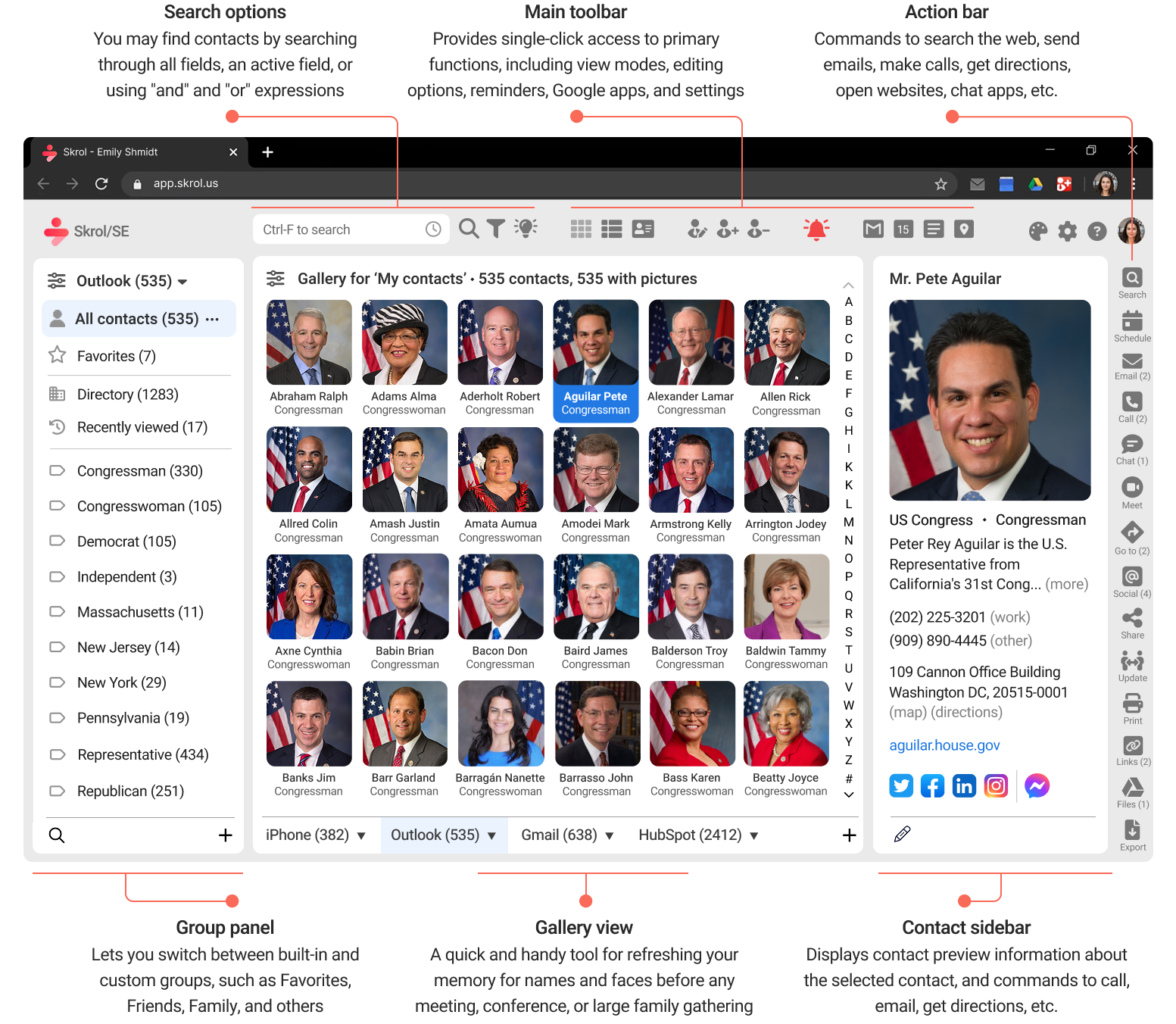
Gallery view

The Gallery view is optimized for senior executives who use groups as visual speed dials. It works especially well on larger touch-enabled monitors and tablets because executives can use it much like they would on a smartphone. This view is most helpful for smaller groups, such as "Boards of Directors" or "Family."

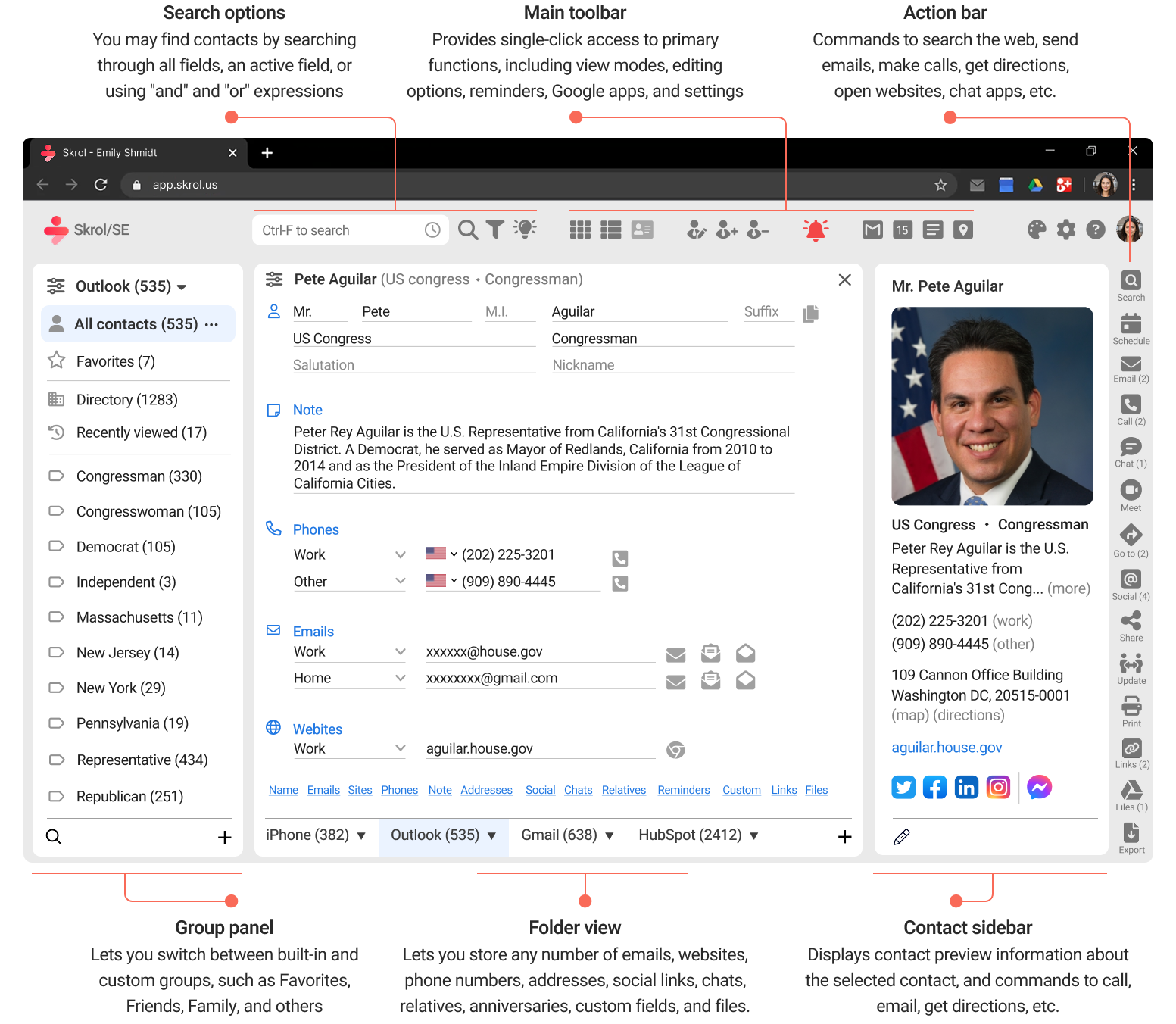
Folder view

The Folder view is intended for adding and editing contact-related information. It changes based on the information available from each connected source. Icons next to each field provide immediate one-click or one-tap actions, such as sending an email or making a phone call.

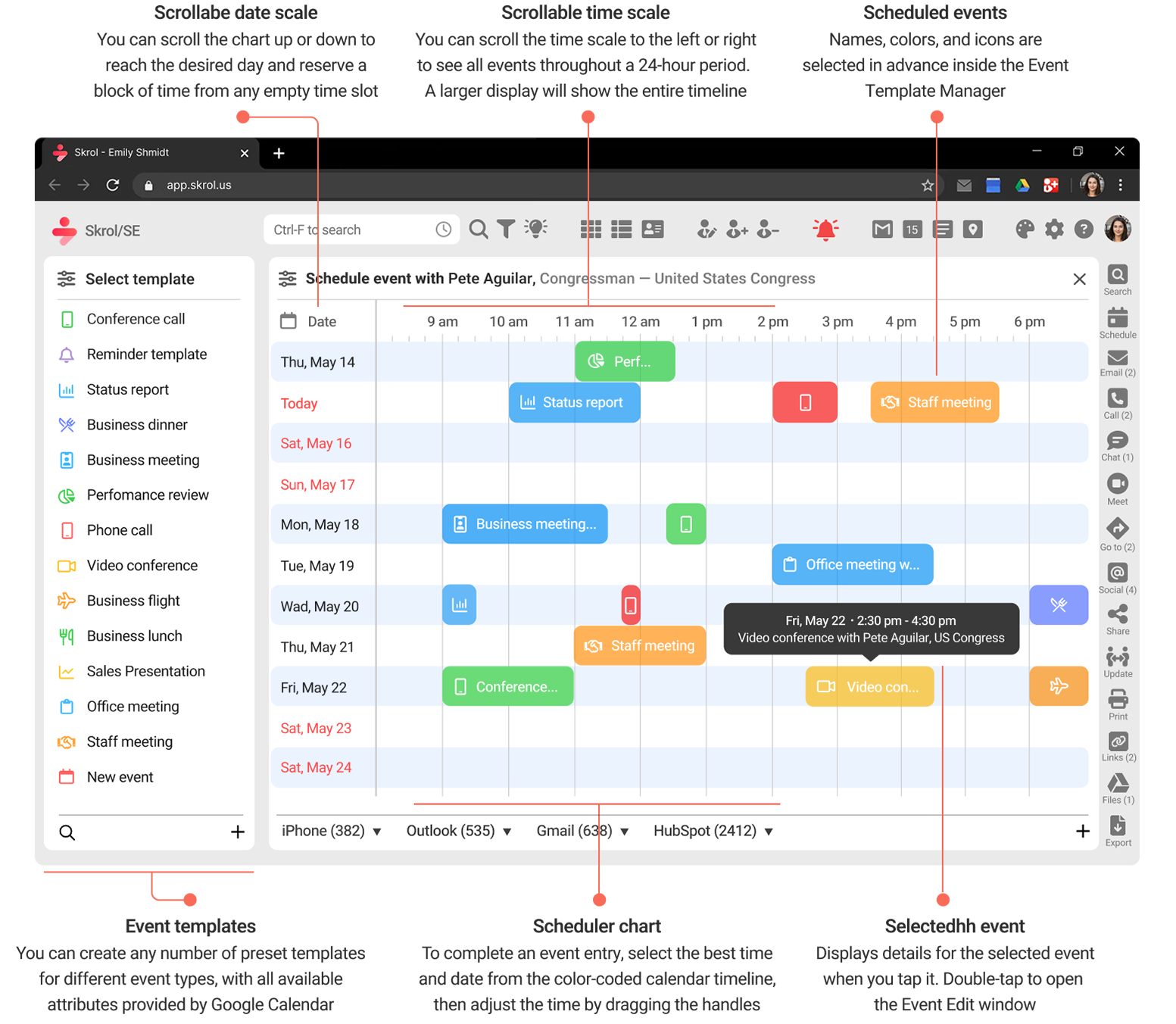
Integration with Google Calendar

The Scheduler view helps you find time in a busy executive calendar in seconds by making open time slots immediately visible on a virtual rolling chart. Adding an event is as simple as dragging a template onto the chart, and rescheduling is just a matter of moving an existing event to another time slot.

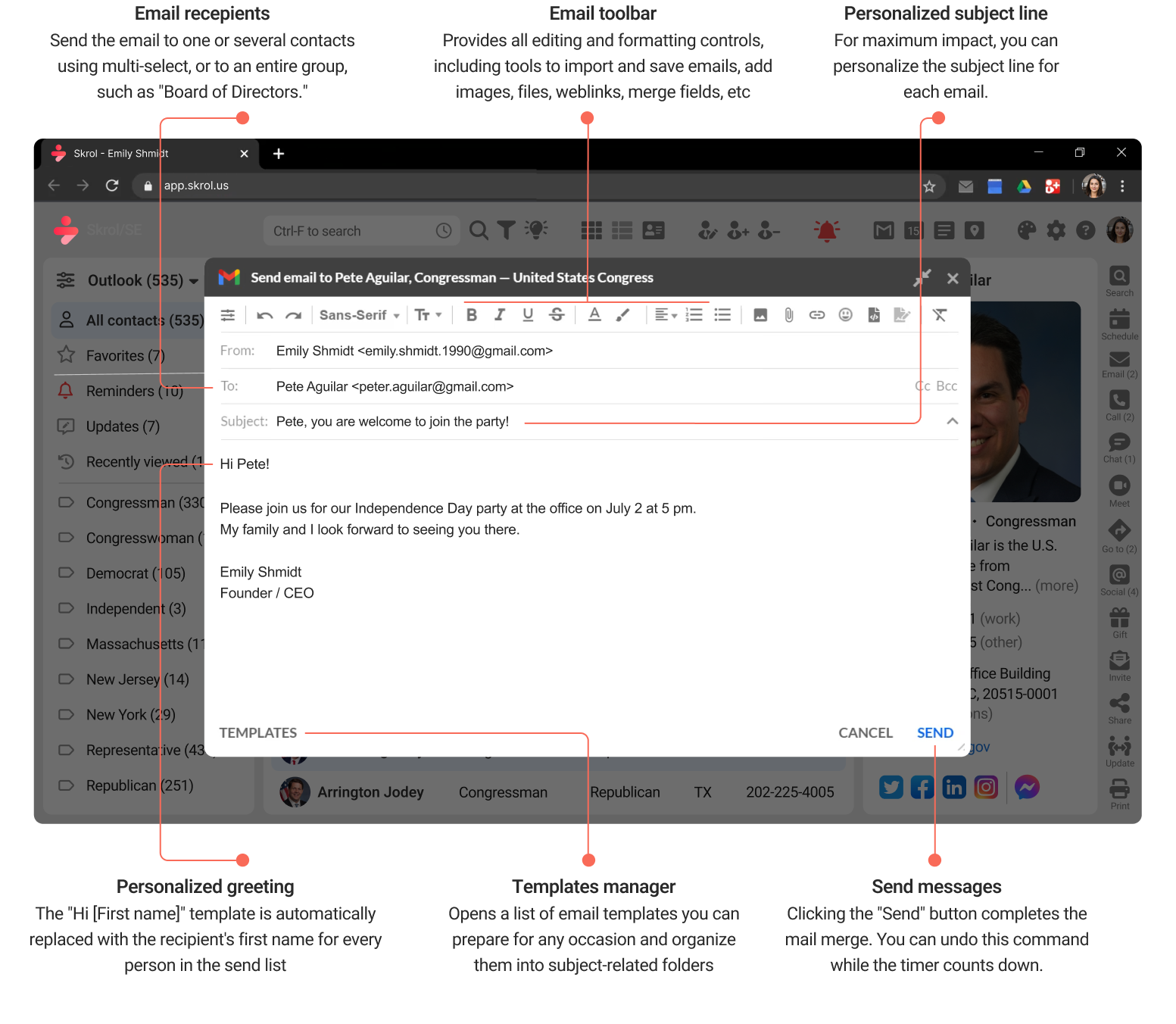
Personalized mail merge right from your email account

Skrol/SE lets you send personalized emails to one contact, selected contacts, or an entire group directly from your own or your executive's email account. You can use templates, insert contact-specific fields, preview each message before sending, and avoid the extra steps of exporting contacts to a separate app or using impersonal CC or BCC.

Printing shipping forms, labels, envelopes, and badges

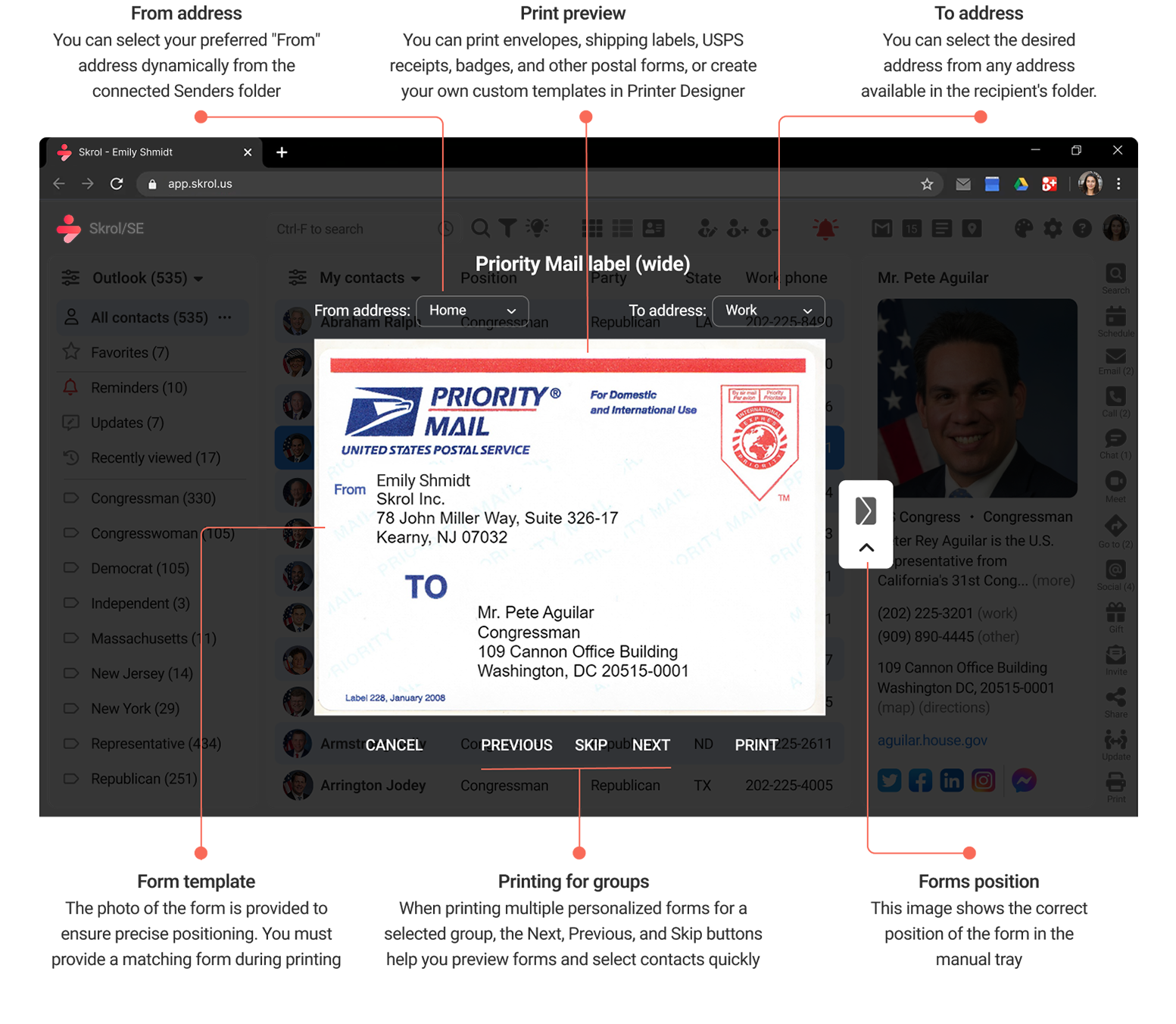
Executive offices are still run on regular mail and parcels. For this reason, Skrol/SE includes an exceptionally capable print utility that will help you print all kinds of mailing and shipping forms in seconds right from the app. And if any particular form is missing, you can add one in the included form designer.

Essential Tools for Your Work Without Added Complexity

We built Skrol/SE with a broader set of functions to accommodate the specific needs of executive assistants that are not addressed by consumer or sales management apps. In daily use, these functions do not interfere with speed, efficiency, or ease of use:

Manage contacts from six key contact apps in one place

Skrol/SE lets you connect to contacts from Apple and Google Contacts, Microsoft Exchange and Outlook, Salesforce, HubSpot, and Oracle NetSuite in a single app. Contacts remain in their original databases and stay synchronized across all devices. Having all contacts in one app is especially useful on a smartphone.

Multiple ways to find the right contact

In addition to a fast Google-style search, you can find people by typing a few letters of their names, filtering the full list with terms like "Show all people who use Gmail," or running compound queries such as "Find all Congress members from California who are Democrats."
In addition to a lightning-fast Google search, you can also locate people by merely typing a few letters of their names, filter the entire list on any word like “Show all people who use Gmail,” or execute a compound query, such as “find all congress people from California who are Democrats."
A computer screen with a magnifying glass next to it
A woman in a red dress standing in front of three computer screens

Use a search engine of your choice

You can research contacts directly from Skrol. Look up names, addresses, companies, phone numbers, social profiles, and photos. Then highlight and paste the information and photos directly into Skrol without retyping.
You can research anything and everything about your contacts right from Skrol. Look up names, addresses, companies, telephones, social networks, and people’s photos with Einstein-grade smarts.

Schedule events from a color-coded chart

You can add Google Calendar events and appointments in seconds rather than minutes because all options can be preset in unlimited event templates. To complete the entry, simply select the optimal time and date from a color-coded calendar timeline.
A man and woman shaking hands in front of a calendar
A woman standing in front of a group of people

Help executives prepare for events

Before any business or social event, an executive can open an event-related group to review the participants' names, titles, companies, photos, and other details. It is the fastest way to prepare for meetings, conferences, and internal gatherings and avoid awkward moments with people they haven't seen in a long time.

Customize list views for each group

Why should the "Clients" group show the same columns of information as the "Friends" group? Does it make any sense to have a "Company name" column in the "Family" group? No, it doesn't. List view templates let you do just that: see only the information that you need for each particular list of names.
A desk with a monitor, pencils and a cup of pencils
A man holding a giant pencil in front of a computer screen

Edit the contact list like a spreadsheet

Imagine needing to change a phone number or update any other single field in a contact record. Skrol lets you do it in seconds without opening a form, finding the right field, and saving it. Inline editing is especially useful when cleaning up large contact lists because you can work with them much as you would in Excel or Google Sheets.
Imagine needing to change or add a new phone number or any other field to contact. Skrol lets you do this in seconds. No need to open a form, find a phone field, change it, save the form, and the works.

Add new contacts without typing

Most contact managers offer only two or three ways to add new contacts. Skrol offers ten that do not require typing. You can also add properly cropped photos from your computer, search results, social profiles, or the clipboard.
A computer screen with icons surrounding it
A man sitting in front of a computer screen

Import contact files from any source

You can add contacts from other programs into Skrol quickly and with little effort. The AI-enabled import module lets you add, append, or update contacts from Excel, TAB, CSV, and Apple vCard files, including custom fields, groups, categories, and images. You can also automate ongoing updates from other programs.
You can move your contacts from any other organizer to Skrol fast and pain-free. The AI-enabled import module lets you add, append, or update contacts from Excel, TAB, CSV, and Apple vCard files.

Store extensive contact information

Skrol lets you store a wide range of contact information, including multiple emails, websites, phone numbers, addresses, social links, relatives, anniversaries, custom fields, notes, and links to files and web pages. The number and type of available fields depend on the database design by Apple, Google, Microsoft, Salesforce, Oracle, and HubSpot.
A computer monitor sitting on top of a desk
A woman sitting on the floor using a laptop

Find, link to, and reach social sites

You can open and review the social profiles of your contacts with a single click. Native support for 20 major social networks is built in. You can also add any number of additional social, business, or corporate networks and directories during setup.

Personalized email templates

You can create any number of personalized templates and send emails directly from Skrol. This is especially useful for urgent or emergency communication with groups. You can modify the message in the compose window before sending it. Templates are stored in topic-based folders such as Invitations, Greetings, Promotions, and Emergency.
You can create any number of personalized templates to send Gmail messages right from Skrol. Especially handy for marketing and support. Modify message text inside the compose window before sending for an extra personal touch.
A computer monitor sitting on top of a desk
A computer with a magnifying glass on top of it

Research email senders

If you use Gmail, Skrol adds a menu to the message toolbar that lets you research the senders of new emails on the web. From there, you can add their contact information to Skrol without retyping and without leaving your Gmail inbox.

Access most functions in a click or two

Use the Contact sidebar and action bar for fast access to essential Skrol functions, including calls, texts, emails, social sites, directions, calendar events, information sharing, and more.
A man sitting on the floor with a laptop
A group of people connected to a google logo

Mail merge to one person or any group

You can create and reuse templates to send personalized emails to an individual or a group in seconds through your own email account directly from Skrol. This approach avoids the complexity, contact list duplication, and added cost common in email automation tools.

Add contacts from inside Gmail

Business-related emails often include a sender signature with detailed contact information at the end of the message. You can move this information directly into Skrol with just a few clicks, with no retyping and fewer errors. This function is currently available only in Gmail because other email apps do not support such extensions.
A computer monitor sitting on top of a desk
A hamburger and a glass of wine on a computer screen

Save preferred restaurants from Yelp

Skrol lets you add restaurants and other venues directly from Yelp in just a few clicks. This makes it easier to plan client lunches, business dinners, and recurring meetings, then reserve, schedule, and share the details from one place.

Connect to Maps, Waze, Uber, and Lyft

Getting directions or a ride from your home, office, or current location to any contact and back takes only a few taps. Options include walking, driving, and public transportation. This is especially useful when traveling abroad because you do not need to type unfamiliar or foreign addresses.
Fetching directions or getting a ride from your home, work, or current location to anyone and back takes only a few taps, including options for walking, driving, or taking public transportation across the town or across the world.
A woman looking at a map with a bunch of icons on it
A three layer cake with balloons and confetti

Get reminded about important events

Add reminders for important dates directly to your contacts' folders. You can review all upcoming reminders at any time, post relevant events to your calendar with one click, and follow up with calls or personalized emails directly from Skrol. This functionality is not supported for Apple Contacts, Outlook, or CRM apps.
You’ll never miss an important event. Add reminders about important events in people’s lives to their folders. Check out a list of all pending reminders at any time.

Access contacts inside driving apps

You’ll enjoy instant access to phone numbers and addresses while driving. Android Auto connects to Skrol’s folders via a shared Google Contacts database. If you run Skrol on your iPhone, you can access its contacts inside Apple CarPlay.
Skrol gives you direct access to phone numbers and addresses in connected vehicles. Android Auto connects to Skrol folders through a shared Google Contacts database, while iPhone users can access Skrol contacts through Apple CarPlay. You can also run Skrol inside the Tesla browser or any other car with web access.
A car dashboard with a monitor and steering wheel
A mail box and a mail envelope

Print labels, envelopes, badges, and postal forms directly from Skrol

Use Skrol to print personalized mailing labels, name tags, badges, and postal forms for one person, a group, or an entire list. This is especially useful for sending packages and organizing conferences, seminars, client events, and other business gatherings.

Designed for long hours and all screen sizes

Skrol is visually accessible, adjustable, and usable on displays ranging from small smartphones to large monitors and TV screens. You can switch between light and dark modes manually or automatically. High-contrast and large-font themes are also built in for improved accessibility.
You wouldn’t find any other contacts organizer as future-proof as the Skrol app because it leverages Google’s contacts database, People API (application programming interface), and Google’s Cloud Platform infrastructure for most of its functionality.
A woman sitting in front of a laptop computer

Skrol for Gmail is available in two flavors

Skrol inside the full-screen browser

Skrol inside the PWA popup window

A browser-based version, similar to Gmail, and a stand-alone PWA app that you can run from Windows or Mac desktop. PWA stands for Progressive Web App. This relatively new technology was pioneered by the late Steve Jobs of Apple fame. It unites the power of cloud-based computing with the power of desktop platforms. You can pick and choose what version to run or use both simultaneously.

Senior executives will find Skrol/SE especially useful on their laptops and desktop computers, particularly when their assistants are not available. It's optimized for touch screens and use without a keyboard and is as intuitive as Skrol for iPhone and Android.

Any device that works with Gmail or Outlook will work with Skrol/SE

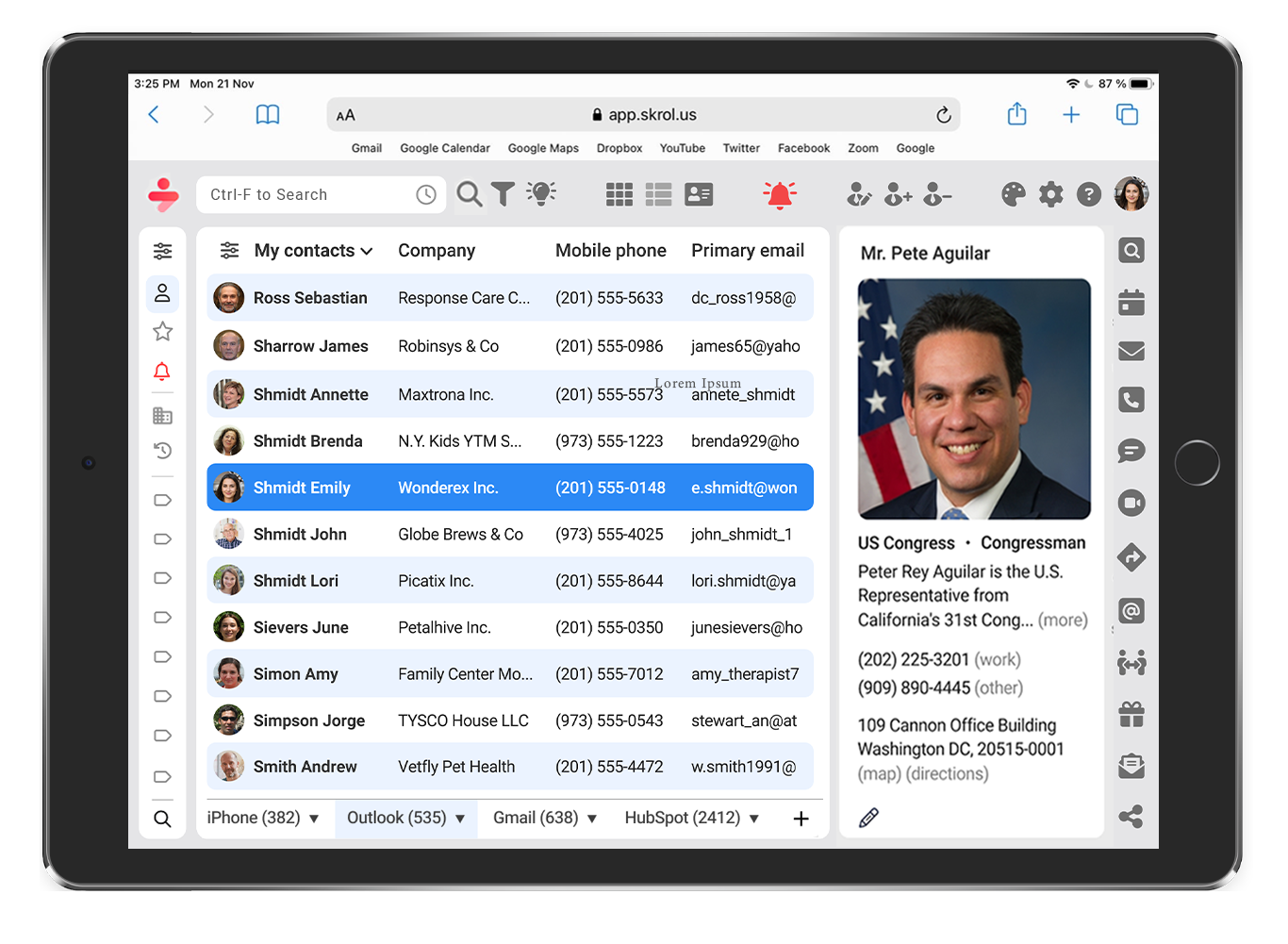
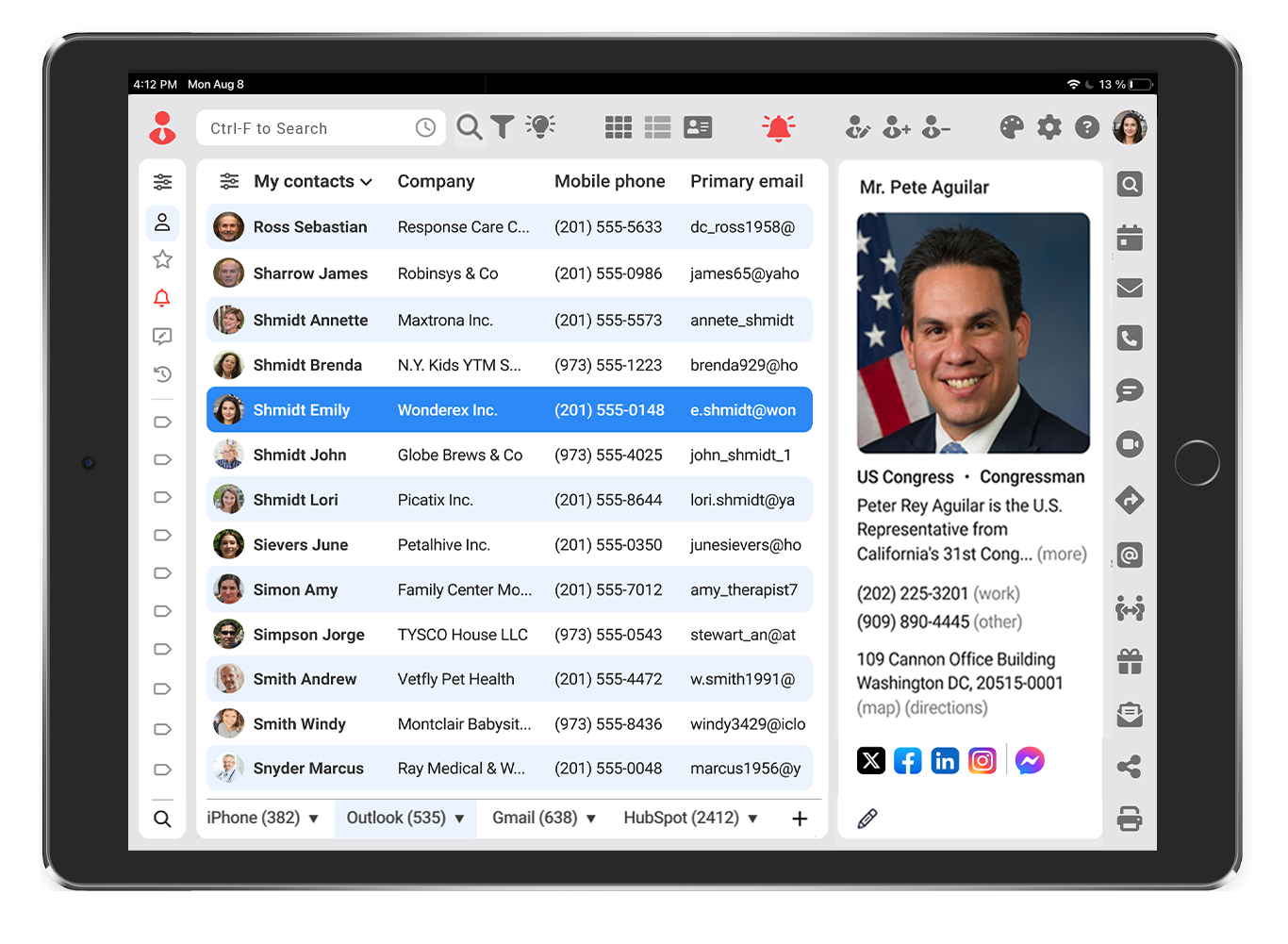
Thanks to its responsive design, Skrol/SE can be accessed on any internet-connected device with a modern browser, including Chrome, Safari, Edge, Firefox, Brave, or Opera. Below are examples of Skrol running on a Windows PC, MacBook Air, and 10.2-inch iPad.
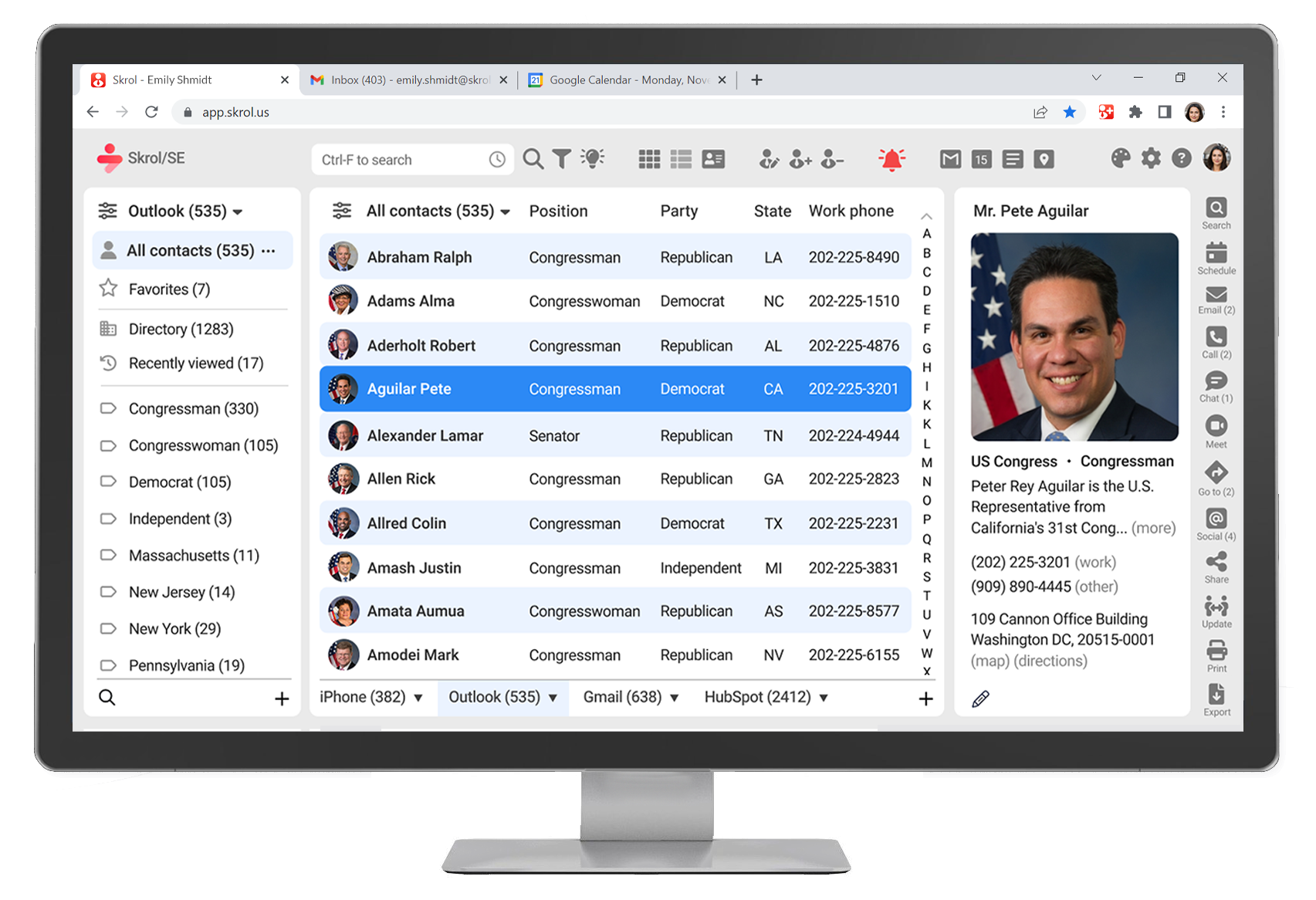
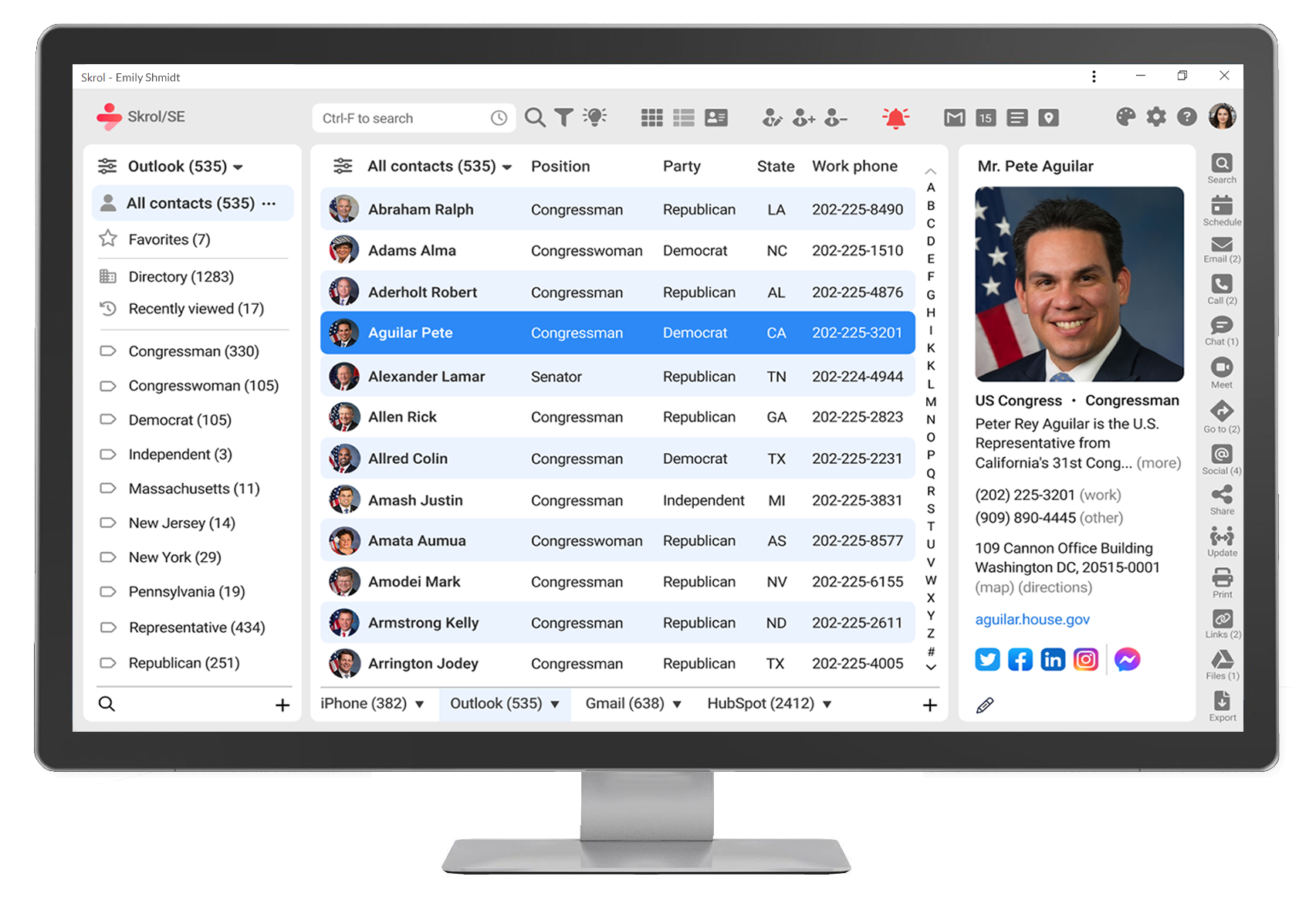
Skrol/SE Focus on Privacy and Security

Unlike Skrol, many premium contact apps and all CRMs store contact information on shared third-party servers and rely on middleware APIs such as Nylas or CloudSponge to access and synchronize it.

This practice compromises executives' privacy and security because it exposes their contact information to hackers and to compromised or malicious employees of the app publishers, API providers, and server operators involved. The main reasons for these design flaws are cost reduction, lack of specialized expertise, and the rush to market during development.

To eliminate those preventable risks, Skrol does not use middleware APIs, does not store users' data on our servers, and submits its apps to stringent code review and approval by the respective app stores.

For enterprise-grade security, Skrol relies on authentication managed by each contact data provider and on overall access security managed through Okta/Auth0, an independent identity and access management platform that helps organizations control and secure user access.

Equally important, after executives and assistants remove Skrol from their devices or sign out of the web app, no contact information is left behind because Skrol does not store it on its own servers or on users' devices.

If your company's needs exceed the security frameworks offered by Apple, Google, Microsoft, and other vendors, we can accommodate requests for on-premises deployment and integrate the Skrol platform with organization-specific privacy, security, and compliance requirements.

Having your personal and business contacts organized by Skrol/SE comes with the following benefits for your privacy and security:

Doesn't require download and installationSkrol/SE works in any modern browser or as a Progressive Web App, so there is no software to download, install, or maintain. It can also be launched from the Start menu, home screen, or Dock.

Secure delegated access via Okta/Auth0Skrol uses delegated single sign-on (SSO) to give executive assistants and other authorized users controlled access to approved contact data without exposing the executive's primary account credentials.

Extra security for sensitive situationsYou can enable PIN or biometric security on mobile devices and set the app to lock on opening or after a selected period of inactivity.

Supports EU data residency requirementsWhen used with contact providers and cloud services configured for EU data residency, Skrol works with contact data stored within the local region.

We don't collect personal informationThe only exception is aggregated, anonymized app usage data collected by Google Analytics, which we do not resell or share with anyone.

All contacts are backed up 24/7Your contact information is backed up by the original contact providers or your company's IT department on a rolling basis.

Perpetual backup of contacts, attachments, and settings Skrol stores information in the Google contacts database and on your Google Drive. You can roll back changes directly from the Google Contacts app.

Skrol is based on an open data standardBecause Skrol is based on an open data standard, your contacts can move with you to any compatible app built around contact standards from Apple and Google Contacts, Outlook, Salesforce, HubSpot, and Oracle NetSuite.

Your personal contacts remain yoursIf you decide to switch from Skrol to another contact manager, the information in your private accounts, such as Apple and Google Contacts, remains yours. Company-related contacts are disconnected from Skrol when you stop using it.

How Can I Review Skrol/SE?

You are visiting the preview site for investors and partners.  If you are considering an investment, you may schedule a Skrol/SE demonstration here:

Qr codeQr code